
Employer FAQ – English
  • Tiếng Việt
  • Looking for dream job? JOBSEEKER SITE

How to create email signature

/02. Account /
  • 02. Account

1. Access to VietnamWorks employer website

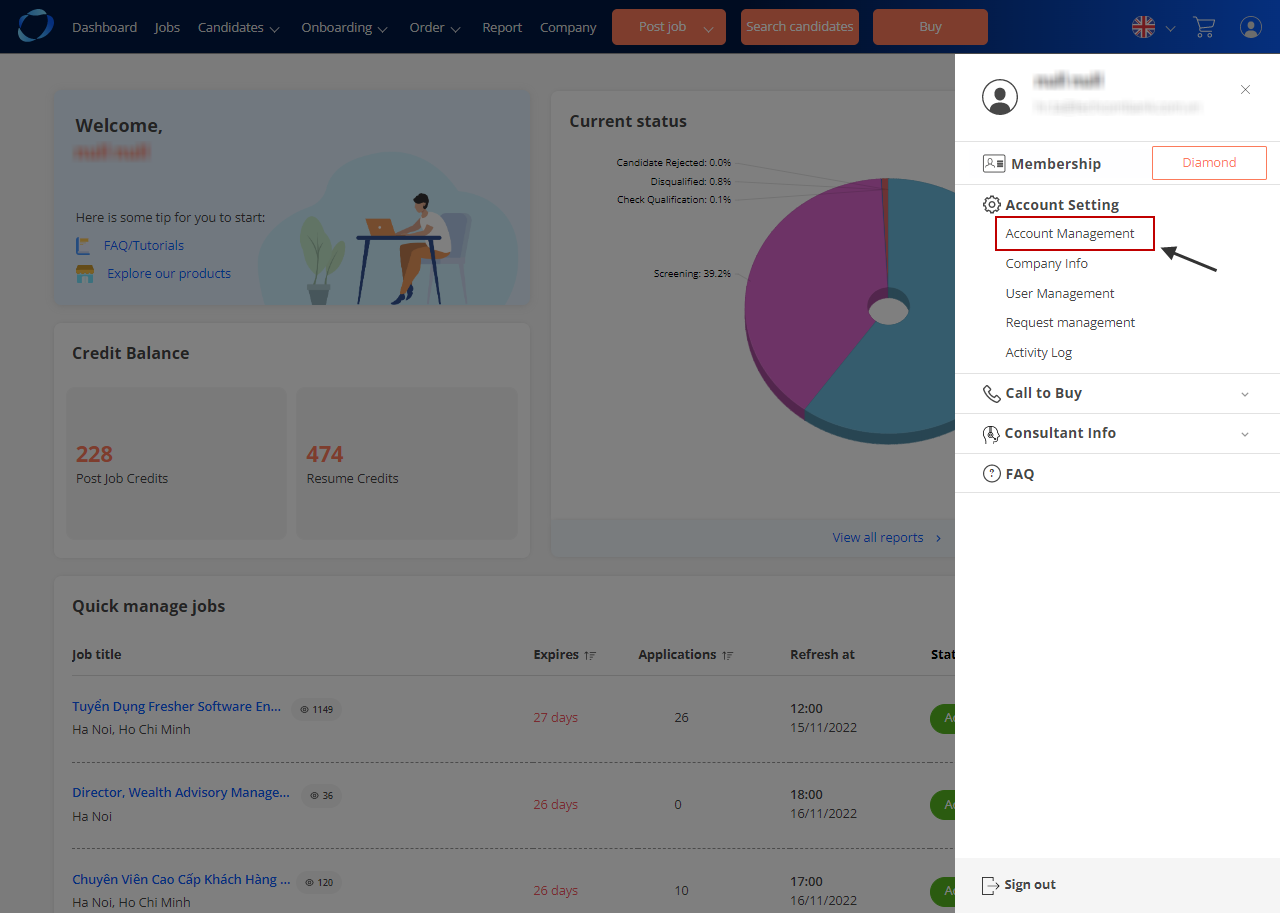
2. On the header bar, click on hamburger menu

3. Choose “Account Management”
qlee1

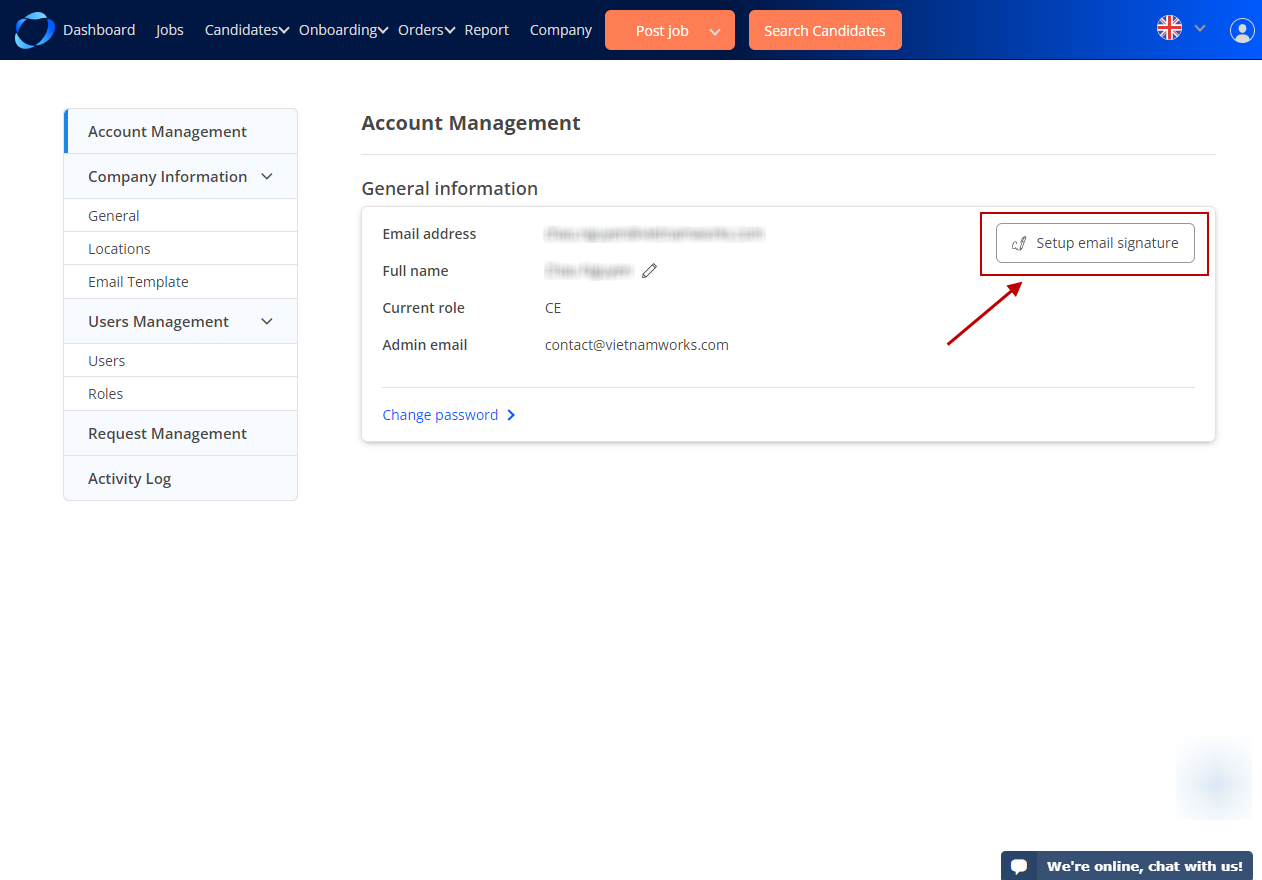
4. In Account Management menu, click on “Setup email signature”
2e

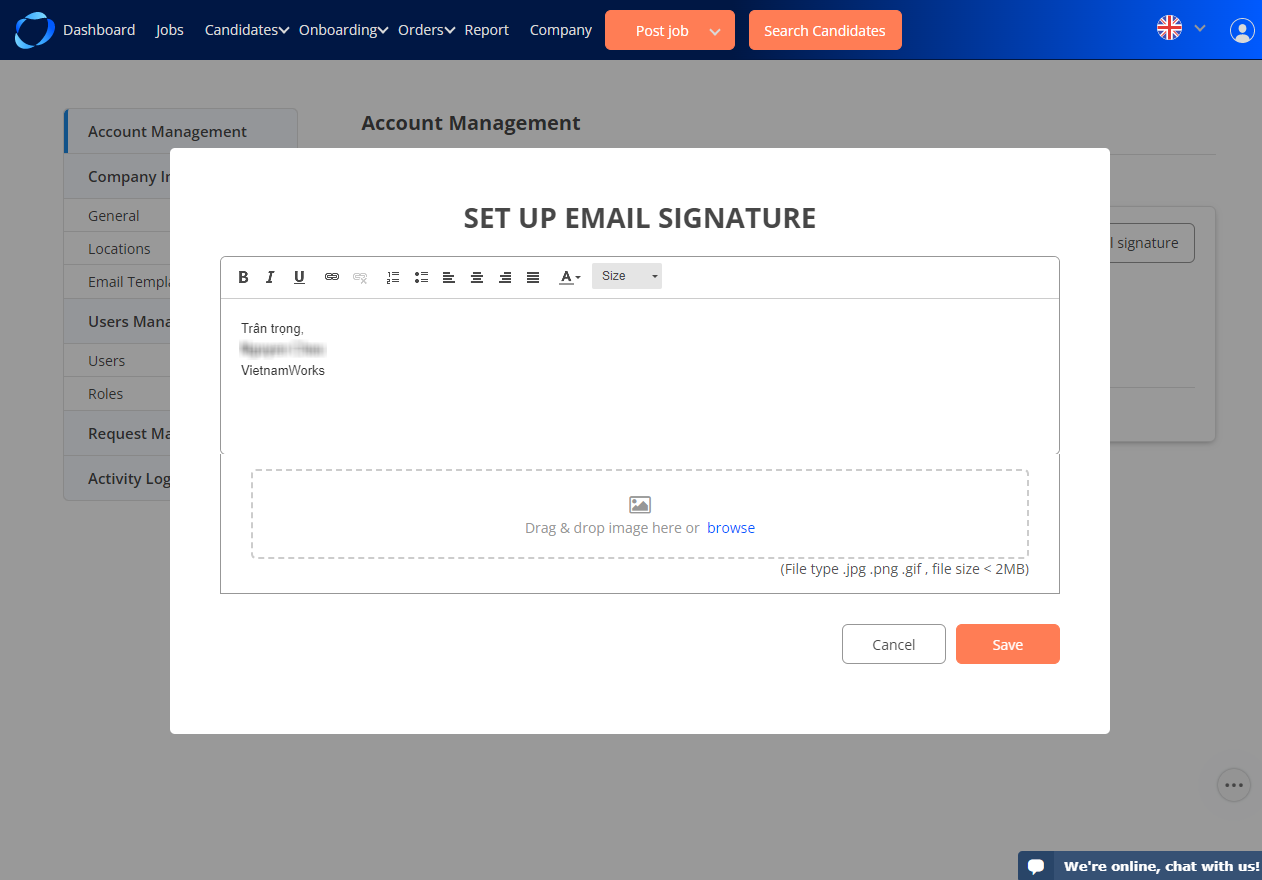
A popup display to create email signature. You can create following template or create your own signature.
3e

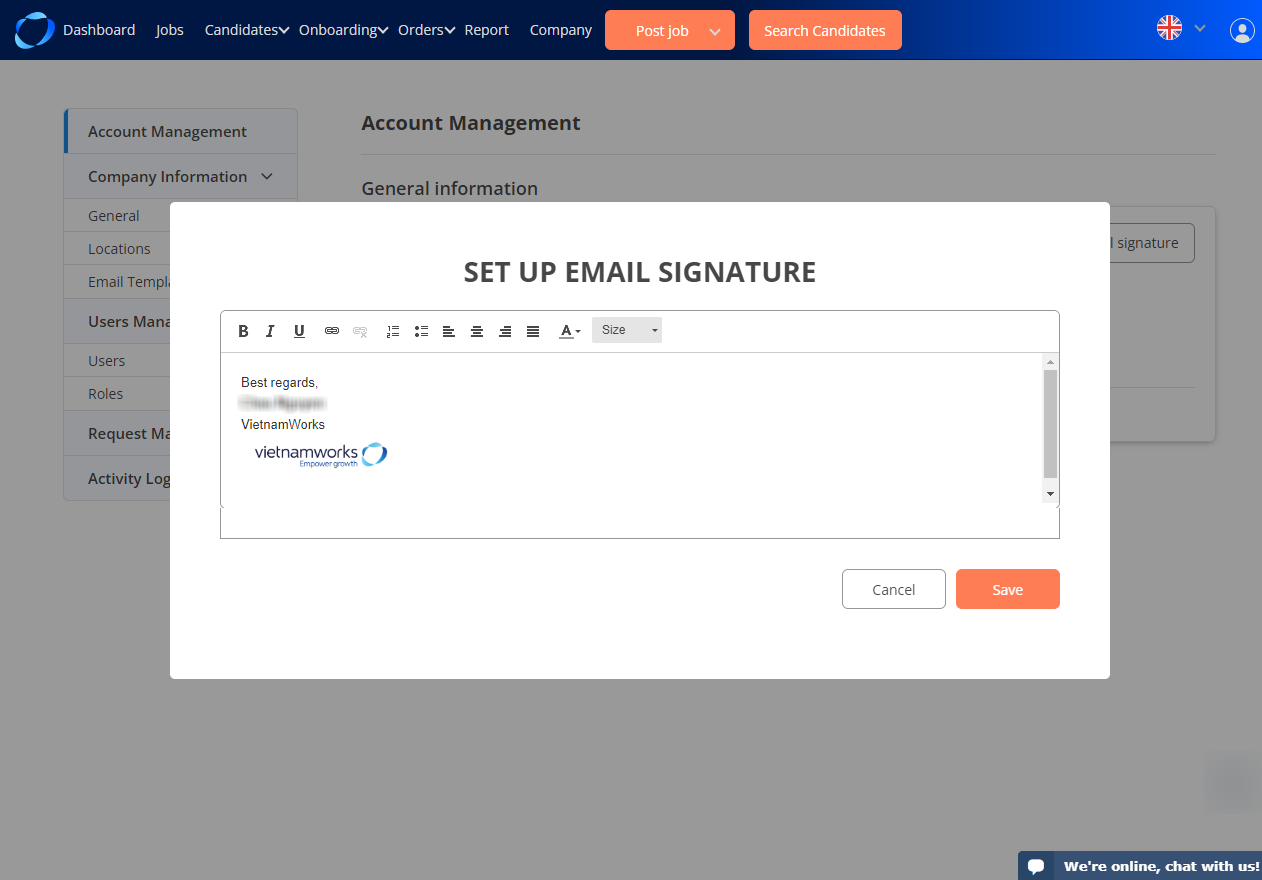
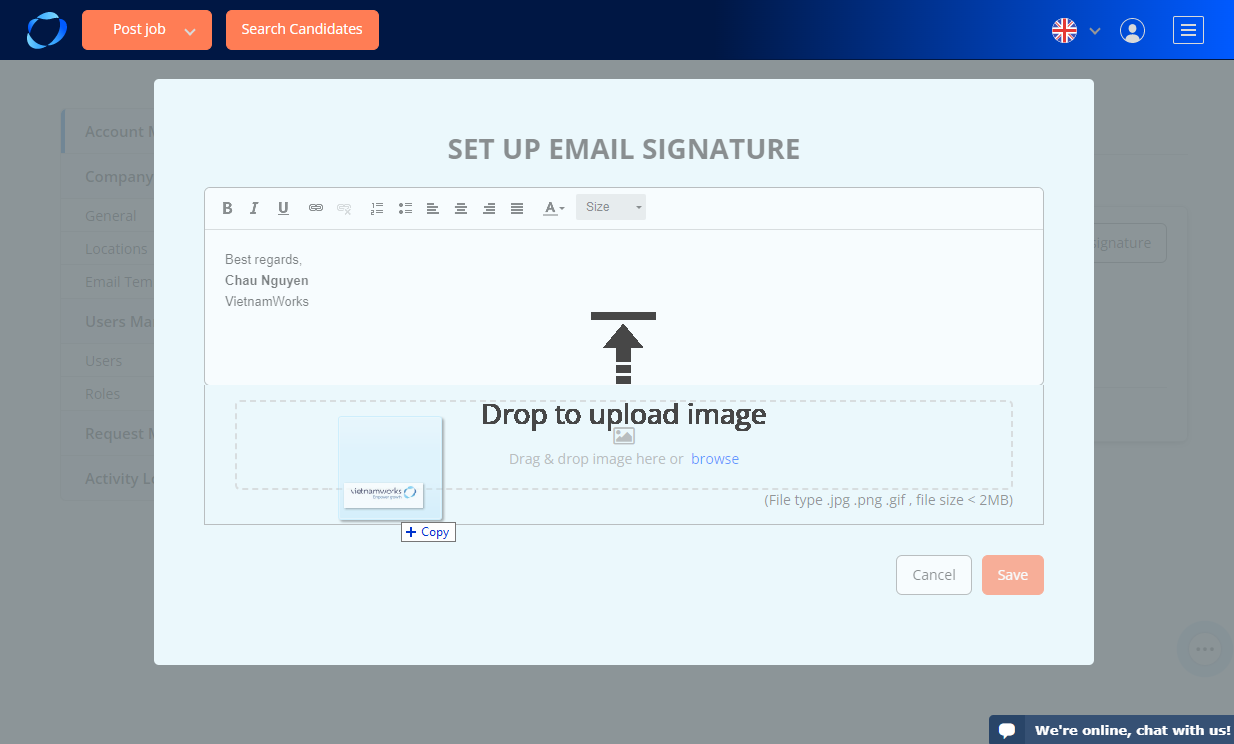
Adding images to make your signature more vivid from your folders 
5e

or simply drag and drop your picture to popup 
4e

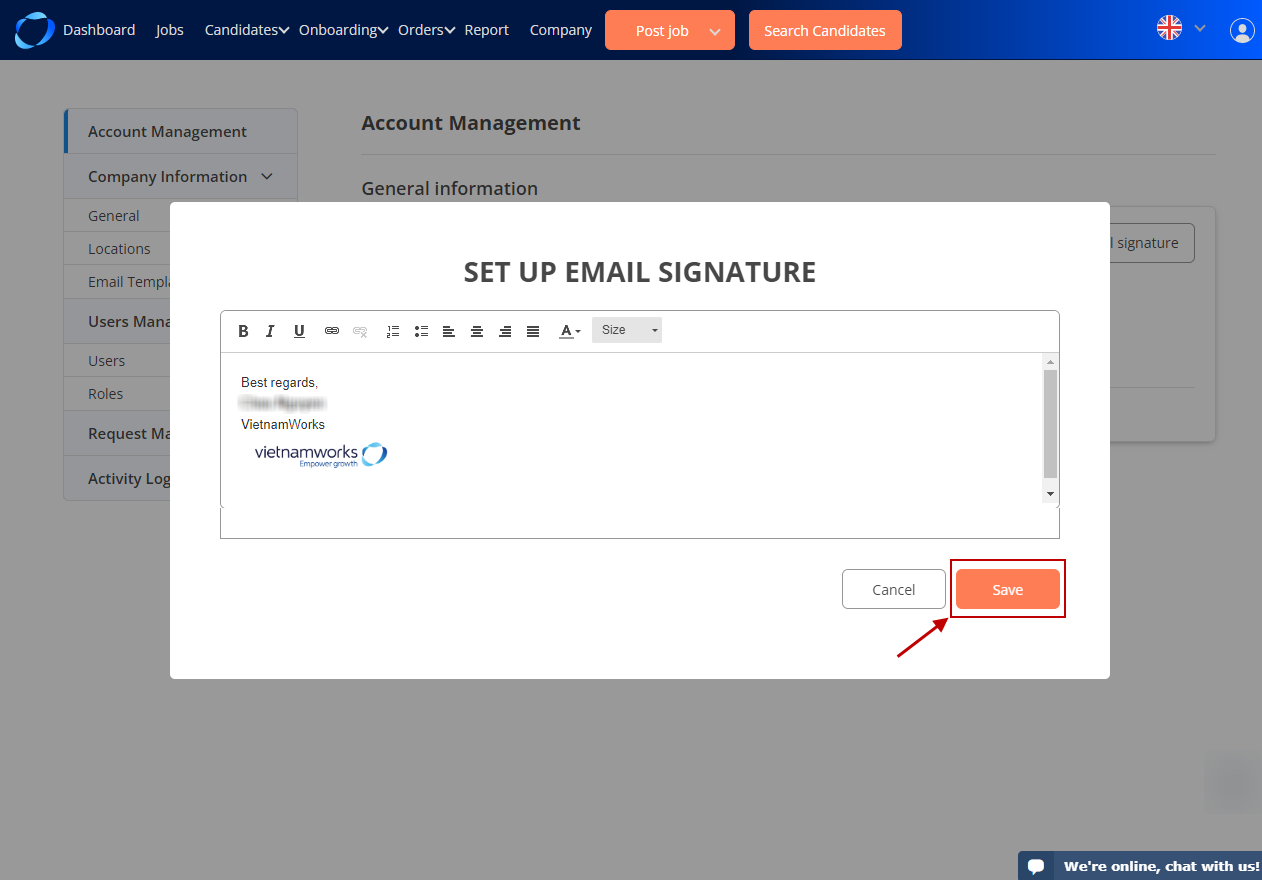
Finally, when you feel satisfied with your signature template, please press the save button to save it.
5e

(107)

Related Articles

  • Legal Entity

  • Reports can be exported from VietnamWorks

  • Register an account on VietnamWorks

  • Not receive the confirmation email yet

  • How to create email template

  • Contact Us

Categories

  • 01. Annoucement – New Updated Features
  • 02. Account
  • 03. Resume Search
  • 04. Candidates
  • 05. Post a Job
  • 06. Job List
  • 07. My Orders
  • 08. Payment
  • 09. E-invoice
  • 10. Technical Support
  • 11. Customer Loyalty Program – CLP
  • 12. Recruitment Tips
  • 13. Share Product
  • 14. User Access Control
  • 15. Onboarding
  • 16. Customer Satisfaction Guarantee Program

Popular Questions

  • Resume Search
  • Download E-invoice
  • Status of an Application
  • How to buy a package or create an online order at VietnamWorks?
  • Unable to sign in and Retrieve password

Latest Questions

  • Membership Ranks
  • Rewards Management
  • Use VietnamWorks AI to Evaluate Candidates
  • Candidates Recommendation
  • Invite to Apply Feature

Copyright © Navigos Group Vietnam Joint Stock Company
Floor 20, E.Town Central, 11 Doan Van Bo Street, Ward 13 District 4, Ho Chi Minh City, Vietnam